


Key Takeaways
- Every FPV drone reduces to six core parts: frame, flight controller, ESC, motors, receiver, and a video/battery system. Learn what each does and the rest of the hobby stops feeling like a parts catalog.
- The 4-in-1 ESC, one board driving all four motors, is now the industry standard because it cuts wiring and weight versus four separate ESCs (Oscar Liang, 2026).
- ExpressLRS (ELRS) has become the default FPV radio protocol, running open-source firmware with packet rates up to 1000Hz on receivers that typically cost under £20 (Unmanned Tech, 2026).
Open any FPV parts list for the first time and it reads like a foreign language: FC, ESC, 4-in-1, ELRS, VTX. None of it is complicated once you know what each part is actually for. It's six components doing six distinct jobs, and every one of them maps to something you'll eventually feel through the sticks.
This guide breaks down each part in the order it matters: frame first, then the flight controller that thinks, the ESC and motors that move air, the receiver that carries your stick inputs, and the camera/video/battery system that gets a picture back to your face. By the end, you'll be able to read a parts list without translating it in your head. And you don't need to own any of this to start practicing the skills these parts exist to serve.
The Frame: What Holds Everything Together
The frame is the skeleton every other part bolts to, and its job is simple: stay stiff enough to hold the motors in a fixed position without flexing under crash impacts. Over 95% of FPV frames use carbon fiber because it offers the best stiffness-to-weight ratio of any affordable material (UAVMODEL Insights, 2026).
Frame size is measured by propeller diameter in inches, and 5-inch is the reference standard: it handles wind, carries a full-size camera, and the whole parts ecosystem, motors, props, batteries, is built around that size (UAVMODEL Insights, 2026; GetFPV Learn, 2026). Arm thickness matters more than most beginners expect: 3mm carbon arms are standard on 5-inch racing and freestyle frames, while 4-5mm arms show up on heavier freestyle builds where crash durability matters more than shaving grams.
Flight Controller: The Brain of the Drone
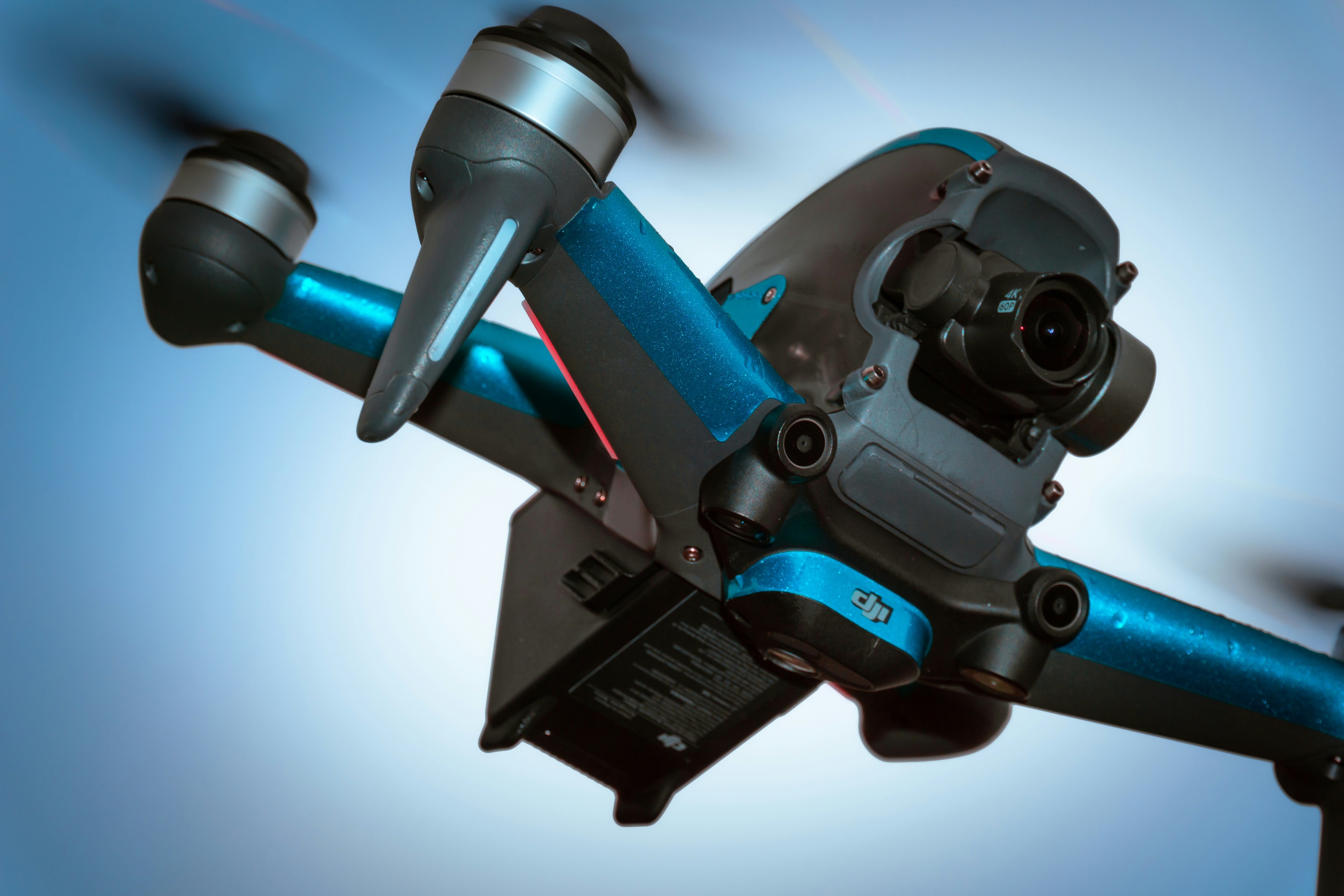
The flight controller (FC) is the small circuit board that reads your stick inputs and its own onboard sensors, then decides exactly how fast each motor should spin, dozens of times a second, to produce the movement you asked for. It's the single part every other component reports to or takes commands from.
Inside the FC sit a gyroscope and accelerometer that measure the drone's current orientation and rate of rotation, and a processor that runs the flight firmware, almost always Betaflight, which turns your stick inputs plus those sensor readings into individual motor commands. The FC can serve as a hub for other drone peripherals, ESC, GPS, LED, receiver, camera, and VTX, all connecting back to it (Oscar Liang, 2026).
There are two common FC formats. A regular FC is a standalone board; an AIO (All-In-One) FC integrates the ESC directly onto the same board, trading some repairability for a lighter, more compact build. Either way, the FC is what makes Acro mode possible at all: it's the thing translating "tilt forward" into a specific motor speed differential, continuously, with zero auto-leveling unless you tell it otherwise.
ESC: The Muscle Behind the Motors
The Electronic Speed Controller (ESC) takes the flight controller's commands and converts them into the precise power delivery each motor needs to spin at the requested speed. If the FC is the brain, the ESC is the muscle: it doesn't decide anything, it executes.
Nearly every modern build uses a 4-in-1 ESC, four individual speed controllers combined onto a single board, each one still driving its own motor independently. Consolidating four boards into one saves wiring, reduces weight distribution problems, and cuts down on the loose-connector failures that plague builds with four separate ESCs (Oscar Liang, 2026; Zbotic, 2026). As FPV architecture has matured, the 4-in-1 ESC has become the most common speed-control format in quadcopters, mounted directly beneath the flight controller as a stack.
The timing here matters for how responsive a drone feels. When the flight controller detects a pitch, roll, or throttle change, it sends a signal to the ESC, which adjusts motor speed within milliseconds. That signal chain, stick to FC to ESC to motor, is the entire physical loop behind every input you'll practice, whether it's a stab of throttle or a snap roll.
Brushless Motors: Where Electricity Becomes Thrust
Brushless motors spin the propellers, and their most important spec is the KV rating, revolutions per minute the motor produces per volt applied, with no propeller load. A 980KV motor on an 11.1V battery spins at roughly 10,878 RPM unloaded (Unmanned Tech, 2026).
Higher-KV motors spin faster and feel sharper on throttle, which is why compact freestyle builds favor them, while lower-KV motors trade top speed for torque, useful for larger props or heavier camera payloads. Neither is objectively better: KV has to be matched to prop size and battery voltage together, or you end up with an overheating motor, a short flight time, or a build that feels flat no matter how hard you push the stick.
Receiver: How Your Sticks Reach the Drone
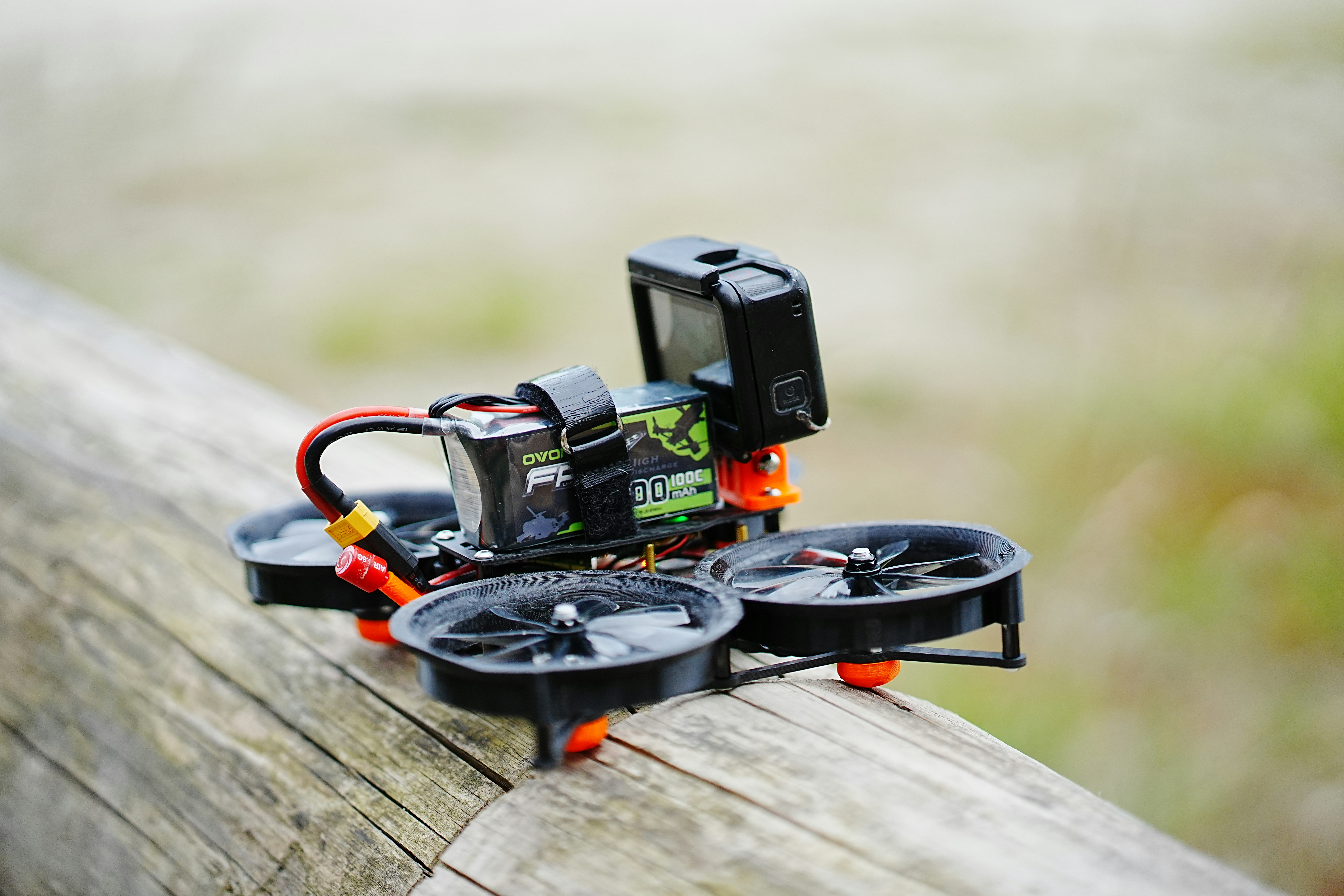
The receiver (RX) is a small radio module bound to your transmitter that catches your stick inputs over the air and hands them to the flight controller as usable data, dozens to hundreds of times per second. Without it, the FC has no idea what your thumbs are doing.
ExpressLRS (ELRS) has become the default receiver protocol for new FPV builds. It's open-source, runs on inexpensive hardware, and offers receiver prices typically well under £20, a fraction of proprietary alternatives like TBS Crossfire (Unmanned Tech, 2026). Packet rates scale by use case: 1000Hz for racing and freestyle at shorter range, down to 150Hz for maximum long-range reach, all selectable in the same firmware.
Protocol matching is the part beginners most often get wrong: your transmitter and receiver both have to speak the same protocol, ELRS to ELRS, Crossfire to Crossfire, and be bound together with a matching phrase before anything connects. Mismatched protocols are the single most common reason a fresh build won't arm.
Camera, VTX, Battery, and Antenna: The Rest of the System
The camera, video transmitter (VTX), battery, and antenna round out the parts list, and each does one narrow job: the camera captures the image, the VTX broadcasts it, the battery powers everything, and the antenna carries the signal both ways.
Analog VTX systems send video as a continuous waveform with latency often under 20ms and virtually no encoding delay, while digital systems (DJI, Walksnail, HDZero) compress and packetize the image for sharper 720p-1080p resolution at the cost of roughly 25-40ms of latency (UAVMODEL Insights, 2026). That handoff, VTX to goggles, is where the video feed actually becomes the first-person view you fly by, and it's worth understanding on its own; How FPV Drones Work covers the goggles and latency side of that system in depth.
Batteries are almost always LiPo (lithium polymer), chosen for their high discharge rate, and antennas come in linear or circular polarization, with circular the near-universal choice for FPV because it resists the video interference multipath reflections cause. None of these four parts is complicated in isolation; they just complete the loop the frame, FC, ESC, motors, and receiver already started.
You Don't Need to Own Any of This Yet
Here's the part every parts guide skips: understanding what an ESC or an FC does doesn't require owning one. The actual skill these parts exist to serve, throttle, pitch, roll, and yaw coordination, is exactly what you can practice for free, in a browser, before you spend anything on hardware. Fly your first lesson in the FlightDivision simulator, no hardware required, and feel what all six of these parts add up to before you decide what to buy.
That's also the safer order to learn in. A structured lesson curriculum, Takeoff and Forward, then Turns, then Stopping, then Stay Calm, then Basic Tricks, then Flow, builds the stick skills first. Buying gear before you can fly it reliably just means your first crashes happen with real carbon fiber and a real flight controller instead of nothing at all.
Frequently Asked Questions
The flight controller reads your stick inputs and onboard gyroscope/accelerometer data, then calculates exactly how fast each motor should spin to produce the movement you commanded. It's the hub every other part, ESC, receiver, camera, and VTX, ultimately connects to or takes orders from.
The Electronic Speed Controller converts the flight controller's commands into actual power delivery at each motor. Most modern builds use a 4-in-1 ESC, four speed controllers on one board, which cuts wiring complexity and weight versus running four separate ESCs (Oscar Liang, 2026).
KV is revolutions per minute per volt with no load. A 980KV motor on an 11.1V battery spins around 10,878 RPM unloaded. Higher KV means sharper throttle response on small props; lower KV means more torque for larger props or heavier payloads (Unmanned Tech, 2026).
ExpressLRS is an open-source radio protocol that has become the default FPV receiver standard, with receiver hardware typically under £20 and packet rates up to 1000Hz. It replaced most proprietary protocols because it's cheaper, community-maintained, and performs at least as well as alternatives like Crossfire (Unmanned Tech, 2026).
Analog VTX sends a continuous video waveform with latency often under 20ms but lower, roughly 480p-equivalent, image quality. Digital systems compress and packetize the feed for 720p-1080p resolution at the cost of about 25-40ms of added latency (UAVMODEL Insights, 2026).
No. The stick skills these parts exist to serve, throttle, pitch, roll, and yaw coordination, can be built entirely in a browser-based simulator first. Understanding the parts list helps later, when you're buying, but it isn't a prerequisite for starting to fly.
Conclusion
Six parts, six jobs: the frame holds everything rigid, the flight controller decides, the ESC and motors execute, the receiver carries your input in, and the camera/VTX/battery/antenna system gets the picture back out. None of it is mysterious once you've seen the signal chain laid out stick to FC to ESC to motor.
You don't need a single one of these parts sitting on your desk to start building the skills they were built to serve. Start the Takeoff and Forward course in the FlightDivision simulator and learn what throttle, pitch, roll, and yaw actually feel like before you spend a cent on the hardware behind them. For the full picture of how FPV works end to end, see FPV Drones: The Complete Beginner's Guide. When the cart is next, What to buy for FPV is the radio, goggles, and whoop list.
Sources
- Oscar Liang, Flight Controller Explained: How to Choose the Best FC for FPV Drone, retrieved 2026-08-11, https://oscarliang.com/flight-controller/
- Oscar Liang, How to Choose the Best ESC for FPV Drones — Beginner Buyer's Guide, retrieved 2026-08-11, https://oscarliang.com/esc/
- Zbotic, 4-in-1 ESC vs Separate ESCs: Which is Better for FPV Racing Drones, retrieved 2026-08-11, https://zbotic.in/4-in-1-esc-vs-separate-escs-which-is-better-for-fpv-racing-drones/
- Unmanned Tech, ExpressLRS Guide: Why It's the FPV RC Standard (2026), retrieved 2026-08-11, https://www.unmannedtechshop.co.uk/blogs/knowledge-base/what-is-elrs-and-why-it-has-become-the-fpv-radio-standard
- Unmanned Tech, Motor KV Ratings Explained: High vs Low KV for FPV (2026), retrieved 2026-08-11, https://www.unmannedtechshop.co.uk/blogs/knowledge-base/motor-kv-ratings-explained-high-vs-low-kv-fpv-drones
- UAVMODEL Insights, FPV VTX Explained: Analog vs Digital, retrieved 2026-08-11, https://blog.uavmodel.com/fpv-vtx-explained-analog-vs-digital/
- UAVMODEL Insights, FPV Drone Frame Materials: Carbon Fiber Grades, Manufacturing, and What Actually Matters, retrieved 2026-08-11, https://blog.uavmodel.com/fpv-drone-frame-materials-carbon-fiber-grades-and-manufacturing-and-what-actually-matters/
- UAVMODEL Insights, FPV Drone Frame Selection: What Size and Material Should You Choose?, retrieved 2026-08-11, https://blog.uavmodel.com/fpv-drone-frame-selection-what-size-and-material-should-you-choose/
- GetFPV Learn, All About Multirotor Drone FPV Frames, retrieved 2026-08-11, https://www.getfpv.com/learn/new-to-fpv/all-about-multirotor-fpv-drone-frame/


