


Key Takeaways
- FPV works because a camera, video transmitter, receiver, and goggles form a live radio link: camera to VTX to VRX to your eyes, all in one continuous chain.
- In 2024, Oscar Liang measured analog and HDZero glass-to-glass latency around 10-20ms, versus roughly 30-50ms for DJI and Walksnail digital systems (Oscar Liang, 2024).
- You can't judge whether a given latency feels fast or sluggish from a spec sheet. You have to fly with it and feel the actual stick-to-screen response for yourself.
Every FPV beginner guide lists latency numbers. Almost none of them explain why a number on a page doesn't actually tell you anything about how flying feels. 10 milliseconds means nothing until you've felt the gap between moving a stick and watching the drone respond.
This guide covers what FPV actually is, how the video signal gets from the camera to your eyes, the real difference between analog and digital systems, and what latency numbers mean once you're flying at speed. It also covers why reading about latency and feeling it are two different kinds of knowledge, and how to get the second kind without spending anything.
What FPV Actually Means
FPV, first-person view, means flying by watching a live video feed from a camera on the drone, streamed to goggles in real time. You see exactly what the aircraft sees. That's fundamentally different from flying a camera drone by watching it from the ground.
Ground-watching drones (most consumer camera drones, delivery drones, inspection drones) rely on you tracking the aircraft visually and reading its position relative to you. The pilot's frame of reference stays fixed on the ground. FPV inverts that entirely: your frame of reference moves with the aircraft, at whatever altitude, speed, and angle it's flying.
That shift is why FPV drones tend to have no automatic hover-hold, no obstacle avoidance, and no auto-return. Removing those systems is what makes tight gate passes, fast direction changes, and close-proximity flying possible in the first place. It also means every bit of stabilization the pilot would normally get for free has to come from stick skill instead, which is a separate topic covered in the complete beginner's guide.
None of that changes the core mechanic, though. FPV is a live video link. Everything about how it feels to fly comes down to how that link is built and how much delay it introduces.
How the Video Signal Path Actually Works
The FPV video path has four stages: a camera on the drone captures the image, a video transmitter (VTX) converts it to a radio signal and broadcasts it, a video receiver (VRX) in your goggles catches that signal, and the goggles' screens display it a few centimeters from your eyes. Each stage adds a small amount of delay.
On most builds, the camera's output first passes through the flight controller, where an on-screen display (OSD) chip overlays telemetry like battery voltage and flight mode onto the raw image (UAV Drone Academy, 2026). The combined image then reaches the VTX, which is effectively a miniature broadcast transmitter tuned to the 5.8GHz band (The Flying Emu, 2026).
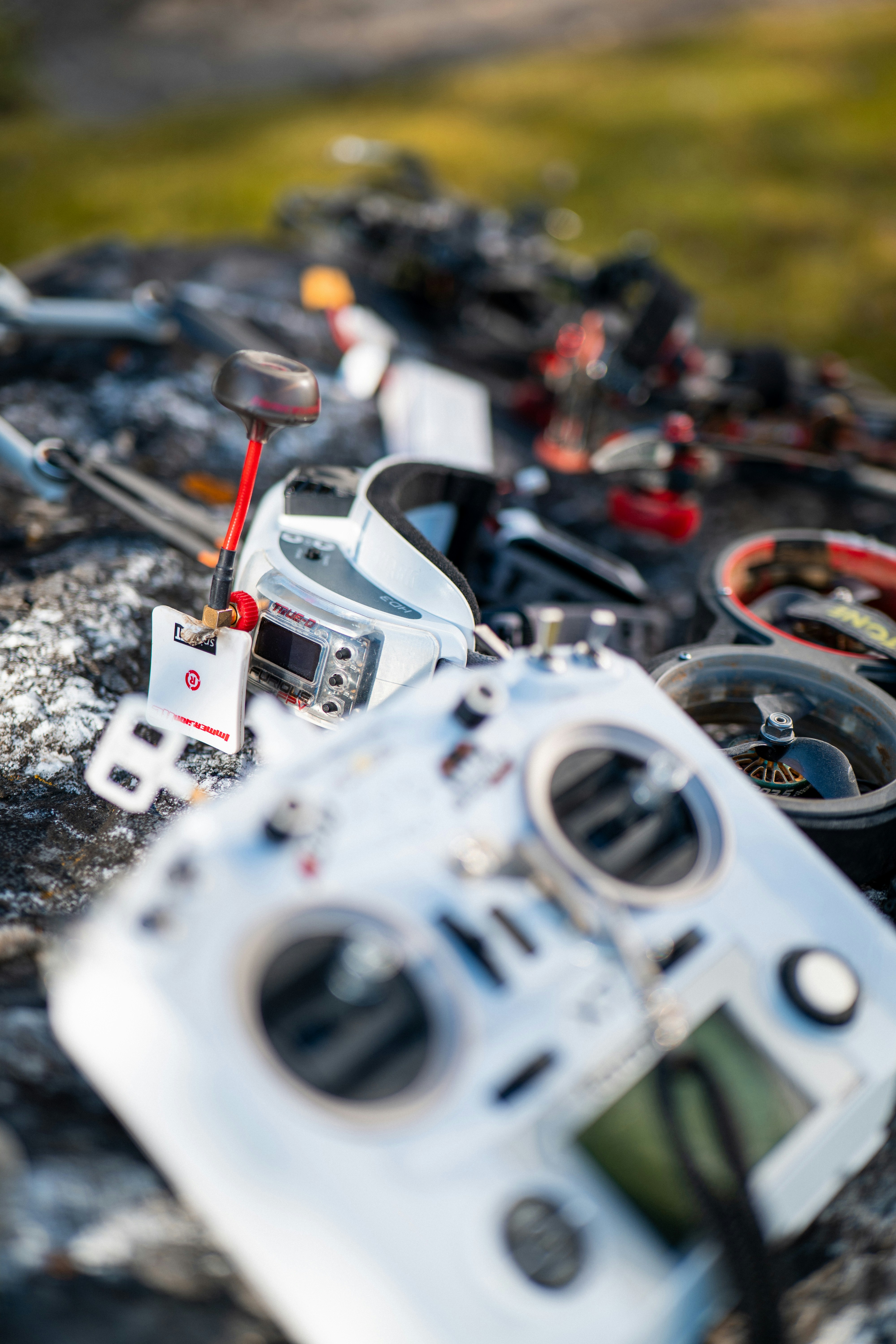
Inside your goggles, a VRX tuned to the same frequency catches the broadcast and decodes it back into an image on the internal screens (Betaflight VTX docs, 2026). The wireless hop itself barely matters: in controlled testing, Oscar Liang found analog VTX/VRX pairs add roughly 1ms of delay on top of the camera's own latency, which he called "nearly impossible to notice in real life" (Oscar Liang, 2017). Camera processing and screen rendering, not the radio link, are where most of the delay actually comes from.
That's the part most explainers skip: the transmitter and receiver are the least interesting piece of the chain. Which parts you choose for the camera, VTX, and goggles matters far more than the radio hop between them, and that's exactly the breakdown covered in FPV Drone Parts Explained.
Analog vs Digital FPV Systems
Analog FPV encodes almost nothing: the camera signal goes out as a raw radio wave and appears on screen with minimal processing delay, at the cost of standard-definition image quality. Digital systems like DJI O4, Walksnail Avatar, and HDZero compress the video into a digital stream first, trading a few extra milliseconds of processing for a genuinely sharper picture.
That processing step is the entire tradeoff. Analog is effectively decode-free, so its latency comes almost entirely from the camera sensor itself, typically 4 to 30ms depending on the camera (UAVMODEL Insights, 2026). Digital systems have to encode the frame, transmit it, then decode it on the goggles' end, adding 22 to 40ms depending on the system and settings (UAVMODEL Insights, 2026).
In 2024, Oscar Liang measured glass-to-glass latency, camera lens to goggle screen, at roughly 10-20ms for analog and HDZero, versus 30-50ms for DJI and Walksnail digital systems (Oscar Liang, 2024).
Typical Glass-to-Glass FPV Latency
Analog and HDZero stay lower-latency than DJI and Walksnail digital systems, though race-mode settings narrow the gap.
- Analog / HDZero: Roughly 10-20ms range; approximately 15
- DJI / Walksnail: Roughly 30-50ms range; approximately 40
Resolution tells the other half of the story. Analog tops out around 600-800 TVL, roughly equivalent to 720x480 pixels, while digital systems run 1080p at up to 100fps (UAVMODEL Insights, 2026). Racers who chase the lowest possible latency often stay on analog or HDZero on purpose. Freestyle and cinematic pilots frequently accept the extra 10-20ms of digital delay for a picture sharp enough to actually see what they're flying through.
Neither system is objectively "correct." The right choice depends on whether image clarity or reaction time matters more for what you're flying.
What Latency Actually Means and Typical Ranges
Latency, in FPV, is the total delay between something happening in front of the camera and that same moment appearing on your goggle screens. Across the whole market, glass-to-glass latency typically ranges from about 10ms on a tuned analog or HDZero setup to well over 40ms on some digital configurations (UAVMODEL Insights, 2026; Oscar Liang, 2024).
That range isn't fixed per system, either. Frame rate and resolution settings shift it directly. HDZero can drop under 14ms in its 90fps mode, DJI O4 typically runs 24-28ms in its low-latency setting, and Walksnail Avatar HD Pro lands around 22-26ms in race mode (UAVMODEL Insights, 2026). Dropping resolution or frame rate almost always buys back milliseconds, at the cost of picture quality.
None of these numbers describe a fixed, guaranteed delay you'll experience in the field, either. RF interference, distance from the pilot, and even goggle firmware settings shift the real figure session to session. What every source agrees on is the direction of the tradeoff: less processing means less delay, and less delay means a more direct connection between your stick and the aircraft.
Why Latency Matters for Control at Speed
Latency matters because a drone doesn't wait for your input to catch up. At racing speeds, even a small delay translates into real distance traveled blind, and that gap is what separates a clean pass through a gate from a crash.
At 100mph, roughly 45 meters per second, a 10ms delay means the drone has already moved about 0.45 meters before you see the result of your last stick input (Oscar Liang, 2024). Double the latency to 20ms and that blind distance roughly doubles too. At tight gate spacing or low altitude, half a meter of unaccounted-for travel is often the entire margin for error.
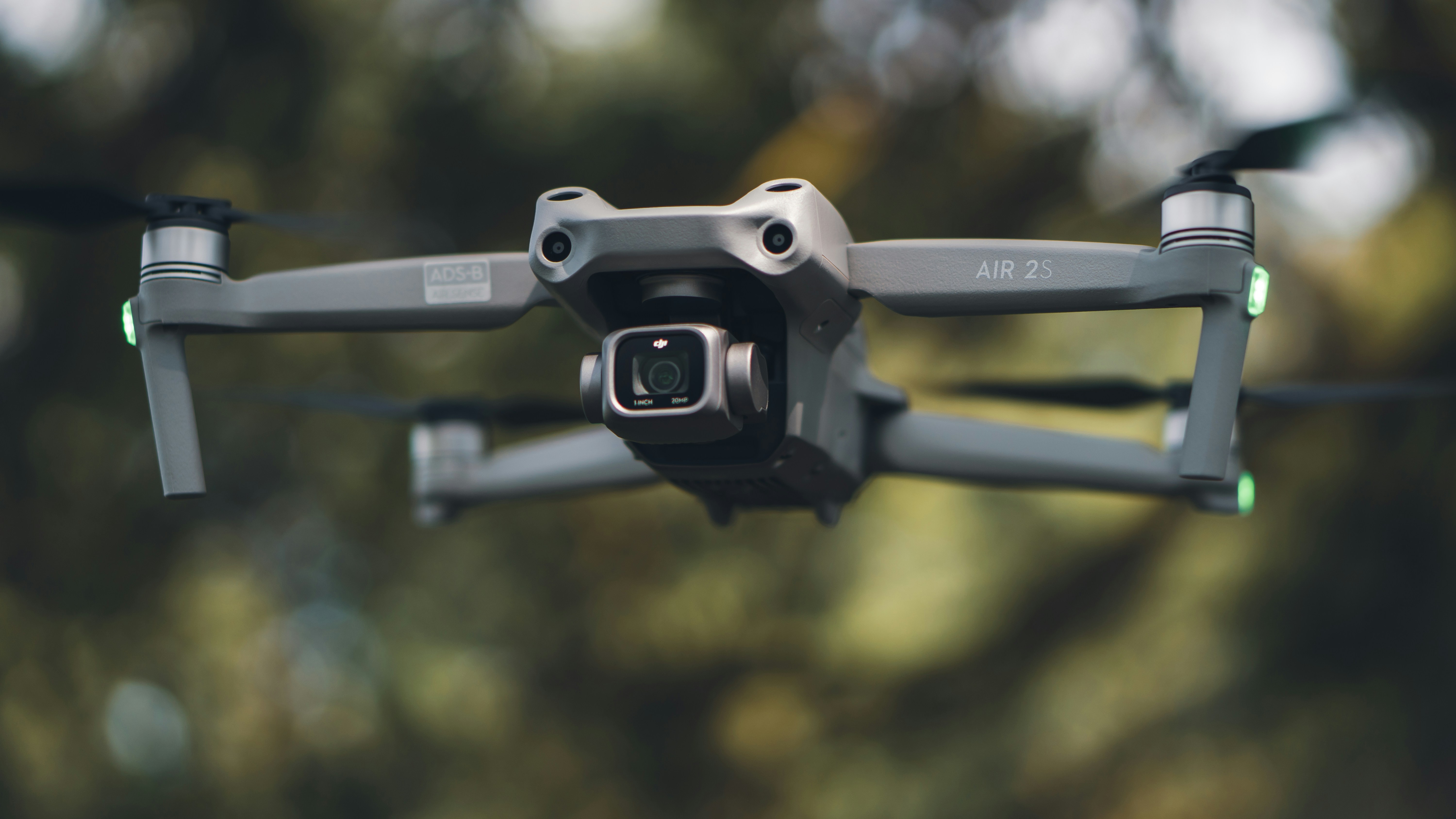
This is exactly why the latency numbers alone can mislead you. Twenty extra milliseconds sounds trivial written on a spec sheet. Felt as an actual gap between a stick movement and the drone's response while threading a gate at speed, it's the difference between a correction that lands and one that arrives half a beat too late. Most beginners never learn to feel that gap because their first exposure to it is also their first real flight, with real consequences attached to every mistake.
Feeling Latency Yourself Before You Buy Anything
You cannot judge how a given latency will feel from a description or a spec sheet. Stick-to-screen response is a physical sensation, not a number, and the only way to actually calibrate your own sense of it is to fly with a live feedback loop and pay attention to the delay.
That's the one thing no beginner article, comparison chart, or YouTube review can give you: a real stick in your hand, connected to a live response on screen, right now, running through a structured, ordered lesson curriculum, Takeoff and Forward, then Turns, then Stopping, then Stay Calm, then Basic Tricks, then Flow, built specifically so you develop a feel for control response before you're asked to use it under pressure. Reading about latency gets you partway there. Flying with it, even in a browser, is what actually builds the instinct.
When you are ready to buy goggles, the purchase version of analog versus digital lives on Analog vs digital FPV. This post stays on how the link works.
Frequently Asked Questions
FPV, first-person view, means flying by watching a live video feed from a camera on the drone through goggles, rather than watching the aircraft from the ground. That live feed, not the drone itself, is what the pilot actually controls against.
Analog transmits a raw, largely unprocessed video signal with lower latency (roughly 10-20ms glass-to-glass) but standard-definition image quality. Digital systems like DJI O4 and Walksnail compress the feed for a sharper 1080p picture, adding roughly 22-50ms of processing delay in exchange.
At high speed, latency translates directly into distance traveled before you see your correction take effect. At 100mph, a 10ms delay means about 0.45 meters of blind travel, which matters a lot at tight gate spacing and barely at all hovering in a field.
Not fully from reading about it, no. Latency is a physical feel, stick input to screen response, that only registers once you're actually flying. A browser-based simulator lets you feel that gap for free before spending on real hardware.
Fly your first lesson in the FlightDivision simulator. No hardware required, free, in-browser.
Sources
- Oscar Liang, FPV Drone Latency Explained: What It Is and How to Reduce It, retrieved 2026-08-11, https://oscarliang.com/fpv-drone-latency/
- Oscar Liang, Measuring the Latency Between VTX and VRX in an Analog FPV System, retrieved 2026-08-11, https://oscarliang.com/vtx-vrx-latency-analog/
- UAVMODEL Insights, Analog vs Digital FPV: Which Video System Is Right for Your Flying in 2026?, retrieved 2026-08-11, https://blog.uavmodel.com/analog-vs-digital-fpv-which-video-system-is-right-for-your-flying-in-2026/
- UAVMODEL Insights, FPV Goggle Comparison 2026: DJI O4 vs Walksnail vs HDZero vs Analog, Resolution, Latency, and Best Choice by Flying Style, retrieved 2026-08-11, https://blog.uavmodel.com/fpv-goggle-comparison-2026-dji-o4-vs-walksnail-vs-hdzero-vs-analog-resolution-latency-and-best-choice-by-flying-style/
- UAV Drone Academy, The FPV System Explained: Camera, VTX, and Goggles, retrieved 2026-08-11, https://www.uavdroneacademy.com/en/blog/fpv-system-camera-vtx-and-goggles-explained
- The Flying Emu, VTX Guide: How Video Transmitters Work, retrieved 2026-08-11, https://theflyingemu.com/vtx-guide-how-video-transmitters-work/
- Betaflight, VTX (Video Transmitter) Documentation, retrieved 2026-08-11, https://betaflight.com/docs/wiki/getting-started/hardware/vtx

